How I'm Using AI in My Ecommerce Businesses Right Now
Most ecommerce founders have tried AI but 56% of CEOs report zero ROI from their investments. Matt Edmundson shares the exact four-tool AI stack his company uses daily, costing around £350 a month, and explains how combining Claude Code with Obsidian creates a thinking partner that knows your entire business. From deep research with Perplexity to on-demand podcast creation with Notebook LM to product lifestyle images with Nano Banana, this is practical AI usage that's generating real returns.
56% of CEOs Report Zero ROI From AI
That statistic landed differently when I first came across it. Not because it surprised me, but because I understood exactly how it happens. Most of us have tried AI by now. We’ve opened ChatGPT, asked it to write an email, maybe generated a product description or two. Then we closed the tab and went back to doing things the way we always have.
The problem isn’t that AI doesn’t work. The problem is that most of us are dabbling. Playing around the edges. And dabbling doesn’t generate returns. So I wanted to share exactly what we’re doing with AI across our ecommerce businesses right now, what it costs, and why these specific tools have earned their place in our stack.
The Four-Tool Stack
Across the whole company, we use four AI tools. We’ve tried more. We went through a phase of chasing shiny objects, signing up for this image tool and that writing assistant, forgetting about half of them within a fortnight. Eventually we stripped everything back and simplified.
The four tools that stuck are Claude, Perplexity, Google Notebook LM, and Google Gemini’s image generation (affectionately known as Nano Banana). Total cost across the company sits around £350 a month, and the majority of that is my own Claude subscription and our dev team’s accounts.
If you’re on Shopify, there might be a fifth worth exploring. Shopify Magic and Shopify Sidekick have been getting genuinely positive feedback from founders in the eCommerce Cohort groups. I haven’t used them personally since our businesses aren’t on Shopify, but the recommendations from people who are using them daily carry real weight.
Claude Code and Obsidian Changed Everything
Claude is the main tool we use, and specifically I use it through something called Claude Code. Most people know Claude as a chatbot, like ChatGPT, where you type questions into a browser and get answers back. Claude Code is different. It’s Claude living inside your computer’s terminal, which means it can see your files, run commands, and make changes directly. Think of the difference between texting a plumber for advice versus having the plumber in your house with their tools.
Now here’s where it gets genuinely interesting. I combine Claude Code with a note-taking app called Obsidian. Obsidian looks like any other note app on the surface, but it has one crucial difference. Every note it creates is a simple text file sitting in a folder on your computer. They’re not locked away in someone else’s cloud. They’re not trapped inside a proprietary database. They’re plain markdown files that any other application can read and work with.
So what happens when you point Claude Code at a folder full of these files? It can read through thousands of notes, understand how they connect, create new ones, and slot them right into your system. It’s like having a brilliant assistant who can read your entire notebook collection in seconds and actually file things properly, without you ever handing your data to a third party.
Building a Second Brain That Actually Thinks Back
The default way most of us use AI is to open a chat window, type a question, and get a generic answer. Every session feels like hiring a new employee who knows nothing about your business. You explain your brand, your products, your tone of voice, and by the next conversation it’s all forgotten.
What I’ve built with Claude Code and Obsidian is more like having a team member who has spent six months reading every document you’ve ever written. All our company information lives in the vault. Branding documents, email marketing playbooks, content plans, past podcast scripts, transcripts, blog posts. Everything is in its own separate markdown file stored locally on my computer.
So when I brainstorm ideas for a podcast episode, Claude doesn’t start from scratch. It already has access to every previous script, every transcript, my voice guide, our brand documents, my complete Slingshot framework. It knows how I write, what I’ve covered before, and what our business context is.
And because Claude Code can update its own files, the system stays current. Every day I give it more context through my daily notes, project updates, and meeting transcripts. The whole thing compounds over time. I set this up about three months ago, spent two solid days migrating my notes from Craft into Obsidian and doing some housekeeping along the way, and it has gone from strength to strength since.
Perplexity for Deep Research
If Claude Code and Obsidian form my thinking partner, Perplexity is my research department. The key difference is that Perplexity gives you sources. It will present information and then show you exactly where it found it, with clickable links so you can verify everything yourself. Given AI’s extraordinary talent for hallucination, that source verification matters.
The narrative binding episode from a couple of months ago (episode 274) came entirely from a Perplexity research session. I spent a full day locked away researching the topic of strategic product copy, going back and forth with Perplexity’s deep research feature, following source links, and building confidence in the approach. The result was a 30-page document that became the backbone of the entire episode.
I also love the voice chat feature. Every Wednesday morning I walk from my house to the office, about an hour and a half, and I’ll sometimes use that time to have a voice conversation with Perplexity about whatever’s on my mind. The other day I spent 45 minutes going back and forth about why the Roman Empire fell. Nothing to do with ecommerce, just genuine curiosity. But for business research, that same conversational format works brilliantly.
Google Notebook LM for Learning on Demand
Notebook LM occupies a different space entirely. Where Perplexity goes out to the web and brings information back, Notebook LM works only with the sources you give it. You upload your documents, your notes, YouTube videos, PDFs, blog posts, up to 300 sources, and it restricts itself to that information when answering your questions.
Yesterday I wanted to learn about negotiation. I’d read Never Split the Difference by Chris Voss and recently picked up Getting to Yes from Harvard. The two books approach negotiation differently in some interesting ways, and I wanted to synthesise what I’d learned. So I uploaded my notes and research to a notebook, and Notebook LM became my personal tutor on the topic, answering questions strictly from those documents rather than pulling in random web results.
But the feature that genuinely amazes me is the audio generation. You can have Notebook LM create a 20-minute audio file, essentially a podcast, where two voices have a natural conversation about your topic. It’s like podcasts on demand. You could ask for a 20-minute episode about email marketing in France selling flowers to women aged 50 to 60, and it would go away, synthesise your sources, and create something that’s almost impossible to distinguish from actual humans talking. I listened to my negotiation overview this morning during my walk to the office and it was remarkable.
Nano Banana for Product Lifestyle Images
The fourth tool is Google Gemini’s image generation, which went viral under the name Nano Banana. I use this specifically for product lifestyle shots. You take a product photograph on a plain background, upload it to Gemini, and have it generate that product in different contexts and settings.
The first time I tried it, I uploaded our Omega-3 bottle from Vegetology (which is fish-friendly because the Omega-3 comes from algae, not fish, cutting out the middle fish as we like to say) and asked for it to be held up slightly by the ocean with the sun setting behind it and dolphins jumping over it in a heart shape. The cheesiest image concept I’ve ever had. But it was so well done that I was genuinely impressed, even though we would obviously never use it.
For practical use, you can take product photos and put them on kitchen counters, in the hands of children, in lifestyle settings that would cost thousands to arrange with a traditional photographer. We still use our photographer Lindy, who is brilliant. AI supplements what she does rather than replacing her. But for website images, social media content, and quick lifestyle shots, it’s a fraction of the cost and gives you options you’d never be able to create in a studio.
How the Tools Work Together
The real power isn’t any single tool. It’s how they connect. If I need a product lifestyle image, I don’t just open Gemini and start typing. I go to Claude Code and say “using our image generation playbook, write me a prompt for Nano Banana that takes this product and creates this kind of output.” Because Claude has all the context about our brand, our products, and a detailed playbook I created specifically for image prompts, the result is far more specific and on-brand than anything I’d write from scratch.
And that playbook itself came from a Perplexity research session. I used deep research to understand best practices for AI image prompting, fed that research into Claude Code, and had it create a detailed playbook tailored to our business. Now it’s stored in the vault and available every time we need it. In six months, I’ll take that playbook back to Perplexity, ask what’s changed in image generation best practices, feed the updates back to Claude, and the whole system stays current.
Getting Your Team On Board
Even in our own company, AI adoption was slower than I expected. We’re a tech company and even the dev team were initially slow to adopt Claude Code. I think this is partly because AI hasn’t always lived up to the hype, and most of us have spent more time fixing AI output than the original task would have taken. That frustration is real.
But it doesn’t have to be complicated for everyone. Not every team member needs the Claude Code and Obsidian setup. Our admin team use Claude with project files, where I’ve created specific prompts they can use for their tasks. The SEO product description prompts from the narrative binding episode, for example, are now being used daily by the team who manage our websites. They put the product information in, get the output, and it just works.
The real lesson is that you don’t need to be a power user. You just need to find the use cases that help you do what you already do, but better. Start with one thing. Pick the use case that resonates most with where you are right now and give it a proper go for two weeks. Not a quick play, but a genuine commitment to learning what it means for your business.
AI Is a Co-Pilot, Not a Replacement
I don’t think AI is replacing us. Some roles will change, certainly, but for most ecommerce founders, AI is a co-pilot. The people who learn to work alongside it will become some of the most valuable operators in the industry. The people who ignore it entirely will find themselves at a disadvantage. And right now, the vast majority of founders aren’t doing any of this, which means there’s an edge available for those willing to invest the time.
Start with one tool. Find one use case. Give it a proper go. And if you get stuck, just ask the AI what to do next. It’s getting remarkably good at answering that question.
Today's Guest
Today's guest: Matt Edmundson
Company: Aurion
Website: aurioncompany.com
LinkedIn: Connect with Matt on LinkedIn
Free resource
The AI Co-Pilot Starter Kit
The AI Co-Pilot Starter Kit
Five practical AI use cases for ecommerce businesses — with the exact tools, prompts, and workflows we use across our own stores. No theory. No hype. Just what's working right now.
Get your free download
Full Episode Transcript
Read the complete, unedited conversation between Matt and Matt Edmundson from Matts Companies. This transcript provides the full context and details discussed in the episode.
Full Episode Transcript
Read the complete, unedited conversation between Matt and Matt Edmundson from Matts Companies. This transcript provides the full context and details discussed in the episode.
# How I'm Using AI in My Ecommerce Businesses Right Now
## [00:00:00] Welcome and topic
[00:00:00] **Matt Edmundson:** Well, hello and welcome to the eCommerce Podcast. My name is Matt Edmundson and it is great to be with you today. If this is your first time with us, a very warm welcome to you. Make sure you like and subscribe and do all of that good stuff if you think there's going to be some value in staying connected with us — which I truly believe there will be.
And if you're a regular, welcome back, because today I'm going to be talking about how I use AI in my e-commerce businesses right now.
This is a big question I get asked a lot. It's a big topic and we're going to get into it.
## [00:00:41] Why AI fails ROI
[00:00:41] **Matt Edmundson:** A stat I came across recently, which really surprised me, is that 56% of CEOs report a zero ROI from their AI investments.
I don't think they're experiencing that zero ROI because AI isn't working. I would venture to say it's probably because they're not using it in a way that creates that ROI. Anyway, enough of that.
My experience is that most of us like the idea of AI. Some of us are using it. The majority of those using it are dabbling with it, playing around the edges, not quite sure how to dig in and get the most out of it. And because it's moving so fast, how do you even keep up with it all?
So I thought we'd talk about it in this episode and hopefully move you a little bit closer to getting an ROI from your AI.
## [00:01:58] Four core AI tools
[00:01:58] **Matt Edmundson:** Let me give you a quick overview of the tools I'm currently using, and then I'll do a deep dive into each one and why I think each tool deserves its place in my tech stack.
Across my whole organisation, we currently use four tools. We've tried more — there are lots and lots of them out there — but these are the four we stick with.
The main one we use is Claude.
We probably pay more to Claude than any other software platform, with the exception of Klaviyo. I personally have the Max plan subscription — the highest tier they offer — because I really do hammer it. It costs about £150 a month plus VAT, so around £180, which is roughly $220–$250. You definitely don't need to spend that much, by the way. For the longest time I was on their £90 a month plan, which was great. I just needed a bit more capacity for some of the things we're doing now.
The second tool is Perplexity.
I'll go into each of these in detail, but in terms of cost, Perplexity runs about $20 a month for the plan we're on.
The third is Google NotebookLM, which is part of the Google Gemini AI suite.
I believe I pay around $20 a month for the whole Google AI suite, of which NotebookLM is one part.
And the fourth tool is also part of the Google suite. You may have heard of it — it went viral under the name Nano Banana.
Or, for my cousins across the pond: Nano Banana.
It's actually not a separate product — it's part of Google Gemini's image generation model. I think Nano Banana is a better name than "image generation tool," but either way, it's all part of Google Gemini.
## [00:04:42] Shopify AI bonus
[00:04:42] **Matt Edmundson:** Now, I'm not currently on Shopify with any of our e-commerce businesses — I've talked about that before on the show. However, there is a possibility that a website we're getting involved with may be on Shopify.
The reason I mention that is: if you are on Shopify, there might be a fifth platform you'd want to add to this mix. AI is now built into Shopify — it's called Shopify Magic and Shopify Sidekick. The guys in our eCommerce Cohort groups have been using it and they're really loving it right now. So if you're on Shopify, go and explore Sidekick. I think it's available on all plans, and it comes highly recommended from the folks in Cohort.
## [00:06:03] Cohort community plug
[00:06:03] **Matt Edmundson:** If you don't know what Cohort is, and you're new to the show, Cohort is a monthly group you can connect with. Every month we jump on Zoom in the various groups and just talk about eCommerce. They're free to join. You get to meet fellow eCommerce travellers at all stages — some have big businesses, some are just starting out, but that mix is really what makes it great. The calls last about an hour or two. It's genuinely one of my favourite things we do every month: chatting with people about e-commerce, learning from them, throwing ideas around together.
If you want to know more, go to eCommerceCohort.com — that domain works and takes you straight to the page you need.
All of that said, Shopify Sidekick might well be the fifth tool you want to add to your list.
## [00:07:29] Costs and culling
[00:07:29] **Matt Edmundson:** Across the whole company, we probably spend around $350–$450 a month on AI. I should say that I personally account for a big chunk of that with my Claude subscription, and our dev team are on the higher tier as well.
What we did was actually cut back. We were spending quite a bit more. We stripped back the AI tools that didn't make sense for us and stopped chasing shiny objects — which, if I'm honest, I'm really bad for. I'd come across something, think "oh that sounds great," try it, then forget about it. Image generation tools and various other things we experimented with.
We finally simplified everything down and this stack of four AI tools works incredibly well for us. Full disclosure — this may well change. I don't know of anything that's about to change right now, but it's AI. It moves fast. You never know.
## [00:09:02] Why Claude wins
[00:09:02] **Matt Edmundson:** One of the things that happened during that culling was we dropped ChatGPT. We don't subscribe to that anymore, other than a few apps that use OpenAI's Whisper for transcription, which does that job superbly. But ChatGPT as a main tool — we moved on. It's still a great piece of AI, genuinely. I just prefer Claude. There's a bunch of reasons why. Let's dig into each of these tools and specifically how I'm using them.
I'm going to spend some time on Claude because you might think, "Matt, surely it's easy — you open the app, type something in, and away you go." It's not quite like that.
## [00:10:01] Claude Code explained
[00:10:01] **Matt Edmundson:** For those who don't know, Claude is an AI assistant made by a company called Anthropic. Like ChatGPT, you can have conversations with it, ask it questions, get it to write things, analyse documents — all kinds of tasks. It comes in different versions and you can use it through a web browser, a desktop app, or on your phone.
It also has a built-in coding tool, which is actually how I use it. And that's called Claude Code.
Claude Code is essentially Claude — the same system — but it lives inside your computer's terminal. Without getting too technical: the terminal is the black screen of text that developers use. What this means is that Claude can run directly on your computer. It can see your files, run commands, and make changes to code.
Originally, this was designed for developers. It's like having a developer sitting next to you who can actually touch the keyboard and write code. But why does this matter if you're not a coder? If you're on Shopify, if your dev team handles the code, why would you want Claude Code?
Think about how you normally use ChatGPT or Claude in a browser. You ask it to fix something or write something, and it replies with the answer. Then you copy it, paste it into your document, download the file — whatever you need to do. That's normal AI behaviour.
Now imagine if AI could just make that change for you. Directly in the file. Right there. It makes the change, tests it to make sure it works, and moves on to the next task.
That's the essence of Claude Code. It doesn't just advise — it actually does. And the key thing is context. Claude Code can see your whole project. All the files. It can understand how everything connects and make changes that fit with everything else, rather than working from isolated snippets you've pasted in.
Think of it like the difference between texting a plumber for advice versus having the plumber in your house with their tools. That's Claude Code. The plumber is in your house, ready to work.
Now stay with me, because we're going to supercharge this a bit.
## [00:14:10] Obsidian second brain
[00:14:10] **Matt Edmundson:** I combine Claude Code with a tool called Obsidian. If you haven't heard of Obsidian, it's basically a note-taking app. I know — that doesn't sound exciting. But bear with me.
Most of us have used note apps at some point. I've used Apple Notes, Evernote, Craft. I know Notion is a big deal for a lot of people. Google Docs. I've played around with all of them.
So why Obsidian? What makes it different? And what's this got to do with Claude Code?
Remember — Claude Code interacts with files directly on your computer. Obsidian might look like another note-taking app, but it has one crucial difference: when it creates your notes, they become very simple text files sitting in a folder on your computer. In Obsidian terms, that folder is called a vault.
They're not locked away in someone else's cloud. When I was using Apple Notes, those notes lived in iCloud. When I used Craft, the notes were stored in their system somewhere. But Obsidian stores the files on your computer, in plain text format — a format that other apps can read and use.
Think of them like a very simple version of a Word or Google Doc. The files Obsidian creates are called markdown files. Markdown is just a way of formatting text using very simple characters. For example, if you put a hashtag in front of a line of text, that becomes Heading 1. Two hashtags — Heading 2. Asterisks can indicate bold text. It takes about five to ten minutes to pick up the basics, and it's just a really quick, easy way to create text documents.
This is how Obsidian works. It makes markdown files for all your notes.
And the beauty of Obsidian is that it formats everything so you're not staring at symbols all day — it actually looks quite lovely on the screen. The other great thing is its internal linking system. You can link notes together. Every day I write a daily note, and I can link through to different projects, meetings, whatever I've been working on, using a very simple internal linking system.
Over time, you build a web of connected thinking — your ideas, projects, meeting notes, daily notes, all the research — everything links up. You're building your own personal Wikipedia. People call this building your second brain. That's what Obsidian does.
It's brilliant for note-taking, for interconnecting files, and for building that second brain.
So now let's plug that into Claude Code and see where the magic happens.
## [00:18:55] Workflow and security
[00:18:55] **Matt Edmundson:** Because your notes are just simple text files in a folder — not trapped inside an app's database in the cloud somewhere — Claude Code can work with those files directly. It can read through them. I've got thousands of notes. Claude can understand how they connect, create new notes, and slot them right into the system.
A simple workflow might look like this: I capture my thinking in Obsidian throughout the day. I have a daily note. I write into different project files, meeting notes, transcripts, blog posts, episode transcripts — they're all in my vault. And I write the connecting note that ties them all together.
Then Claude Code comes across all of that at the end of the day. It distils my daily note, makes sure everything is organised, pulls out tasks so I know what I'm doing, updates project files, and connects dots I've missed. Which is beautiful.
And here's the third thing to keep in mind with this flow: everything stays on your computer, in your files, which you own and only you can open. There's a nice security element to that. It's a bit like having a brilliant assistant who can read your entire notebook collection in seconds and actually file things properly — without you ever handing your data to a third party.
I hope you're still with me on this. The combination of Obsidian — all my thinking, my second brain — and Claude Code — my AI assistant who can see and act on that thinking — is genuinely one of the most practical uses of AI that doesn't require massive technical ability. Beyond the ability to type.
I get genuinely excited about Claude Code and Obsidian. It's one of my big things right now. All our company information is in there: branding documents, playbooks, our email marketing framework, the narrative binding content from a couple of months ago, content plans, past scripts from the eCommerce Podcast, blog posts, transcripts — everything. It's all in its own markdown file stored in my Obsidian vault, which is just a simple folder on my computer. And it's secure because it's not storing anything in the cloud — it's working on local files.
Claude Code then knows our brand voice. It knows our product range. It knows what we've tried before and what's worked. AI needs context, and this gives it all the context it could possibly need.
## [00:22:23] Context beats prompting
[00:22:23] **Matt Edmundson:** The default way most of us use AI — certainly how I used it for a long time — was to open up a chat window, type in a question, and get a generic answer. We eventually realised we could give it some context through project files, which helped. But it still felt like every time you used it you were hiring a new employee. Someone who had a little bit of information but was still finding their feet. You'd have to explain your business again and again.
But what I've built with Claude Code and Obsidian is more like having a team member who has spent six months reading every document you have ever written.
The difference is night and day.
Take writing up ideas for this podcast episode. I can brainstorm that in Obsidian, which means Claude has access to all my previous notes, all the scripts from past podcasts, the transcripts, blog posts, my voice guide, my brand documents, my complete Slingshot framework for how I think about e-commerce — all of it. It knows how I write, what I've covered before, and what our business context is.
And the beautiful thing is that Claude learns too, because it can update its own system files as I give it more information. Because I'm adding more context every day, the system is constantly staying up to date. It's a remarkable thing.
I don't think this is a common setup — I've not met many people who use it this way. But I do think it's properly powerful. When I've explained it to people, they tend to find it quite transformative.
There are some videos on YouTube if you want to find out more. And if you're using any kind of note system that stores plain text files on your computer — whether that's Obsidian or something else you've found — you could use this system. When I stumbled across it, I thought: this is going to solve so much of my AI headache. It's going to boost my productivity and make everything run faster.
## [00:25:06] Migration to Obsidian
[00:25:06] **Matt Edmundson:** I made the switch about three and a half months ago. I spent two solid days exporting my notes from Craft, importing them into my Obsidian vault, and cleaning them up. The actual export and import would have taken an hour — the two days was the housekeeping, going through everything properly. Absolutely worthwhile. Glad I did it.
Since then, the whole thing has just gone from strength to strength. Claude Code is my thinking partner, my co-pilot for creating, building, and getting things done.
## [00:26:02] Why Perplexity Helps
[00:26:02] **Matt Edmundson:** So let's talk about Perplexity. What is it about Perplexity that I like, given that I've just waxed lyrical about Claude Code and Obsidian?
Every Wednesday morning I walk from my house to the office. It's about an hour and a half and it's one of my favourite times of the week — prayer time, thinking things through, processing, and learning. That's where Perplexity comes in.
## [00:26:38] Voice Chat Learning
[00:26:38] **Matt Edmundson:** I love the voice chat feature in Perplexity, where you can have a voice conversation and it talks back to you. The other day I was in the van with a 30-minute drive and I just put the voice feature on. Nothing to do with e-commerce — I was just curious about why the Roman Empire fell. I ended up going back and forth for about 45 minutes in conversation. I absolutely love that feature.
But that's not the main reason I use Perplexity.
## [00:27:18] Deep Research With Sources
[00:27:18] **Matt Edmundson:** I use Perplexity when I need to research something specific. I'll open it up on my computer or phone and go for it.
## [00:27:28] Narrative Binding Case Study
[00:27:28] **Matt Edmundson:** For example — the episode we did a couple of months ago on narrative binding. If you don't know what that is, it's a really powerful idea for writing product copy for the products you sell on your e-commerce site. I'm a big fan of this idea and I spent a lot of time thinking about it. That whole episode came about because I spent a day doing deep research on the topic — and I did that research with Perplexity.
The great thing about Perplexity for research is the sourcing. It gives you all of the sources. It'll give you information and then link to the source where it got that information from. Which is brilliant, because let's be real — AI has an extraordinary talent for hallucination. It's good to verify. You can follow the links, check the sources, and see what makes sense.
I spent a full day on that research session and got completely engrossed in it. What I came away with was the confidence to invest more time and energy into that area — by looking at the research, the case studies, and seeing how other businesses were applying the idea. The result of that day was a 30-page document on the topic. All of that learning became the backbone of Episode 274 on narrative binding. If you haven't listened to it, check it out.
Perplexity is excellent for doing really deep research. I know it now has new features trying to compete in the Claude Code space with something more user-friendly, but I use it specifically for deep research. That's where it really shines for me.
## [00:30:19] NotebookLM For Synthesis
[00:30:19] **Matt Edmundson:** The next tool is Google NotebookLM, and this is a different beast entirely with a very different use case.
Perplexity goes to the web, does a chunk of research around a topic, and comes back with findings and source links. NotebookLM is similar in some ways, except I give it the sources to look at, and it restricts itself entirely to those sources. Why would I want that?
When I want to learn about a specific topic, or I'm trying to synthesise large volumes of information, this is where NotebookLM becomes your co-pilot for getting smarter, faster.
## [00:31:09] Negotiation Notebook Workflow
[00:31:09] **Matt Edmundson:** Yesterday I wanted to spend time learning about negotiation. The topic intrigues me. It came about because I had breakfast with a friend who recommended *Getting to Yes* — Harvard's strategy for negotiation. I'd read *Never Split the Difference* by Chris Voss and thought it was great, but I hadn't read *Getting to Yes*. And when I did, I found the two books have some similarities but also some genuine differences in approach.
Reading a book is great and you get some ideas, but I actually want to download the information into my brain and really learn it. That means doing a whole bunch more than just reading.
So I uploaded my notes, my research, and some additional material I'd found online to a notebook in NotebookLM. You can add up to 300 sources of information — blog posts, YouTube videos, audio files, PDFs, text files from your Obsidian vault, whatever. You upload them to a notebook and NotebookLM restricts itself to that information.
So when it comes to negotiation, I can ask NotebookLM questions and it will answer from the research and notes I uploaded. It doesn't pull from the web — it stays strictly within my documents. That's a great way to ask questions and learn from large volumes of information quickly.
I can focus specifically on *Getting to Yes*, *Never Split the Difference*, what the two systems mean in practice, and what that might mean for my businesses — and NotebookLM will only draw from those sources. Technically I can now do something similar with Claude Code and my Obsidian vault, but I think Google NotebookLM is a bit stronger in that specific area.
But for me, the most amazing feature of Google NotebookLM is something else entirely.
## [00:33:36] Podcast On Demand Audio
[00:33:36] **Matt Edmundson:** NotebookLM can generate 20-minute audio files.
Based on whatever you want it to cover. So with the negotiation example, I asked for an overview of the two systems. It generated a 20-minute audio file — essentially a podcast — with two voices having a conversation about negotiation. I love podcasts. I'm a huge podcast listener.
So what this gives me is a podcast on a very specific topic I'm trying to learn about. It's like podcasts on demand. It's like calling me and saying, "Matt, can you do a 20-minute podcast on email marketing for French florists selling to women aged 50 to 60?" Super specific. And I go away, do the research, come back, and do a 20-minute podcast on it to help you and your business. That's what you get with Google NotebookLM.
I listened to that negotiation audio this morning and it was a remarkable overview — an audio conversation that works really well for me as a learning format. And it's so well done that I think it's pretty much impossible to tell it apart from actual humans. Which is both scary and fascinating.
If I'm trying to learn about a topic, I can upload my notes and information to NotebookLM and have it generate different audio episodes covering different aspects of the subject. I can listen to those while I'm walking to the office on Wednesday mornings.
If you fancy creating your own on-demand podcast around a topic you're trying to learn — go for it. I love that feature.
## [00:35:57] Nano Banana Image Magic
[00:35:57] **Matt Edmundson:** Okay, let's move on to the last tool: Nano Banana — Google Gemini's image generation system. Yes, Nano Banana. It's a much better name.
What I use this for is lifestyle images and product lifestyle shots. You can take a product photograph, upload it to Gemini, and have it generate product shots in different contexts, settings, and moods.
The most ridiculous example I can give you is the very first time I tried it. I uploaded a picture of our Omega-3 — which if you're watching on YouTube, is right here. I took that image and put it into Google Gemini.
## [00:36:47] Omega 3 Lifestyle Shots
[00:36:47] **Matt Edmundson:** So we've got this Omega-3 from our supplement site, Vegetology. And if you're a regular on the show, you'll know our Omega-3 is fish-friendly, because the Omega-3 in those supplements comes from algae, not fish. Fish don't actually make Omega-3 — they ingest it from the algae. So we just take it directly from the algae and, as we like to say, cut out the middle fish. Every jar of Omega-3 you get from us saves the lives of 50 fish. It's a great product and a really strong hero product for us.
So I took a shot of the Omega-3 bottle — either on a transparent or white background, I can't quite remember — uploaded it to Google Gemini, and said: "Take this bottle of Omega-3 and make it look like it's being held up slightly by the ocean. I want the sun setting behind it and dolphins jumping over it in a heart shape. Make it as realistic as possible."
It is the cheesiest image idea I've ever had in my life. But I just wanted to see what it could do. And honestly — it was so well done. We would obviously never use that image, but the fact that we could do it was amazing. Just playing around with it was great fun.
You can take product photos and generate them in different contexts. Plain background to kitchen counter. Hands holding the product. Different moods, different settings. No expensive studio setup required. There's no way I'm getting dolphins to simultaneously jump over a bottle of Omega-3 while the ocean lifts it up — but for AI, that was fairly straightforward.
## [00:38:58] AI As A Co Pilot
[00:38:58] **Matt Edmundson:** Full disclosure, because I know I'm going to be asked: yes, we still use our photographer Lindy, who is brilliant. AI supplements what Lindy does — it does not replace her.
And I think this is true of all AI tools. They're supplements. They're co-pilots. They're not always replacements. Learn to use AI as your co-pilot — that's the way forward. For your website, social media, quick lifestyle images — use Nano Banana. It's brilliant. But use it as a co-pilot.
I will say that video generation tools like Veo and similar ones are starting to make some really interesting waves. We haven't played around with them enough yet for me to talk about them with confidence on the show, but they're definitely on our horizon. For now, it was about getting the foundations in place before we move to more complicated things. So try Nano Banana — it's not perfect, but it's pretty good for website and social media content at a fraction of the cost. The main thing you need to do well is write the prompt and give it the right context.
## [00:40:32] Supercharging With Playbooks
[00:40:32] **Matt Edmundson:** And if you use Claude Code and Obsidian — guess what? Claude Code already has all that context. You can say: "Write me a prompt to use on Google's Nano Banana. Here's the kind of image I want. Write me a really great prompt." And it will write the prompt for you, which you then paste into Nano Banana. Your whole life becomes a lot easier.
And if you really want to supercharge it — go to Perplexity first. Ask it to research how to write the best prompts for generating high-quality images from Nano Banana. Be specific: you want to take product shots and create lifestyle images, you want both landscape and square and portrait versions, you want high resolution, a playful tone, a specific colour palette. Whatever it is. Use Perplexity's deep research feature, go back and forth, and come back with a solid chunk of research.
You then put that research into your Obsidian vault and tell Claude Code: "Here's a whole bunch of research we've done on how to write image prompts. I want you to write me a detailed playbook using this as the foundation — but figure out how it all applies to our business and write it up properly."
Claude then writes you a playbook, which you store in your vault. Now whenever you need to create an image, you say: "Using our Nano Banana image playbook, write me a prompt that takes this product image and creates this kind of output." And the prompt it creates will be so specific and so context-rich that when you paste it into Nano Banana, everything suddenly becomes a lot easier.
And because you've got the playbook, next time you need an image it's already there. In six months, you can take that playbook, put it into Perplexity, and say: "This was our playbook six months ago. What's changed that we need to update?" It goes away, does more research, you bring it back to Claude, and the whole process starts again. You're always up to date.
That's one way to supercharge it.
## [00:43:09] Rolling Out AI In Teams
[00:43:09] **Matt Edmundson:** That's my current AI stack. Hopefully you've found this helpful.
I'm rolling AI out across our company and everyone on our team uses AI — with one exception. I won't name names. They know who they are.
Here's the thing: even in our own office, adoption was slow. And we're a tech company. Even the dev team were slow to pick up Claude Code. I wonder if this is because we don't fully understand it, and also because — let's be frank — AI hasn't always lived up to the hype. You may have been like me: spending more time sorting out AI's output than doing the actual job AI was supposed to help with in the first place. I get that frustration. I've been there many times.
But I also recognise that AI is moving at such a rapid pace that even this episode may date quickly. I'll almost certainly need to do an update in six or twelve months. But neither of those things should be a reason to do nothing.
There's a real fear factor here. It does feel alien. I get it. We've got different competence and technical levels across our team — the dev team will use it more for coding, the marketing team more for content. But it's my responsibility to make sure everyone is getting better, that we have an AI policy, and that we're all growing in our learning. Because I don't think AI is going anywhere.
Even for our admin team, for example — I can use Claude Code and Obsidian to create specific prompts for them. They might not have the full Claude Code and Obsidian setup themselves, but they can use Claude with project files. I give it the context and the prompts, and they can use those straightforwardly. The prompts we used in the narrative binding episode — for SEO product descriptions — our team who look after the website are now using those exact prompts. They put in the product information and get the output. It's really straightforward.
The real lesson for me with AI is this: I don't think it's going anywhere. There's a lot of hype around it. Understanding how to use it specifically for your business is where the value is. And the good news is you do not need to be a power user. You just need to find the use cases that help you do what you need to do better. For me, one of the most beautiful things about AI is this: when I get stuck, I just ask it. I go, "I'm stuck here — what's the next step?" And it's really, genuinely helpful.
I hope this has sparked some ideas, and I hope you have the courage to go and try some of these things.
## [00:47:01] Free Guide And Next Steps
[00:47:01] **Matt Edmundson:** Like I always do on these solo episodes, I've put together a freebie for you this month: my guide to using AI in e-commerce. It covers the tools I mentioned, simple getting-started guides, and some of the prompts I use — to help you get going.
I've also added a priority matrix to help you know what to try and where to start, because a lot of this feels overwhelming, and the overwhelm often stops us from starting at all. Use it to answer a few questions about where you are right now, and it'll help you make some decisions from there.
You'll find the link to the freebie in the show notes or in the YouTube description. Or just head over to eCommercePodcast.net, click on the resources link, and you'll find it there. It's a free download and it will be genuinely helpful for you.
## [00:48:05] Two Week AI Challenge
[00:48:05] **Matt Edmundson:** Let me close this episode with a challenge. Start with one thing. Just one thing. Pick the use case that resonates most with where you are right now, and give it a proper go for the next two weeks. Not a quick play — a proper go. Watch YouTube videos on your specific use case. Get your head around it. Really dig in.
I do not think AI is replacing us. I think it will definitely replace some jobs — I won't pretend otherwise. But for most of us, I think AI is a co-pilot. And the roles that will be replaced will be those held by people who don't learn how to use AI to help them with their role. The people who learn to use AI as a co-pilot will be some of the most valuable people around. That's just my personal opinion — time will tell whether I'm right.
In your e-commerce business specifically, this gives you an edge. I would say 98% of people aren't doing the things we've talked about in this episode. Getting ahead of that just puts you above the crowd.
So yeah — just my thoughts.
## [00:49:43] Final Thoughts And Connect
[00:49:43] **Matt Edmundson:** I'd love to know what you think. Reach out to me on social media — on LinkedIn especially, at Matt Edmundson. I'd love to know how you're using AI, what your questions are, where you think it's all going. I find the whole topic absolutely fascinating.
And of course, if no one has told you yet today, let me be the first: you are awesome. Yes, you are. It's just a burden you have to bear, whether you use AI or not.
The freebie is available on the website — eCommercePodcast.net. And do check out Cohort as well if you'd like to join us. It's free, there are no strings attached, and we just help each other grow in e-commerce. I hope to see you in there.
That's it from me. Have a wonderful week wherever you are in the world. I will see you next time. Bye for now.
Meet your guest
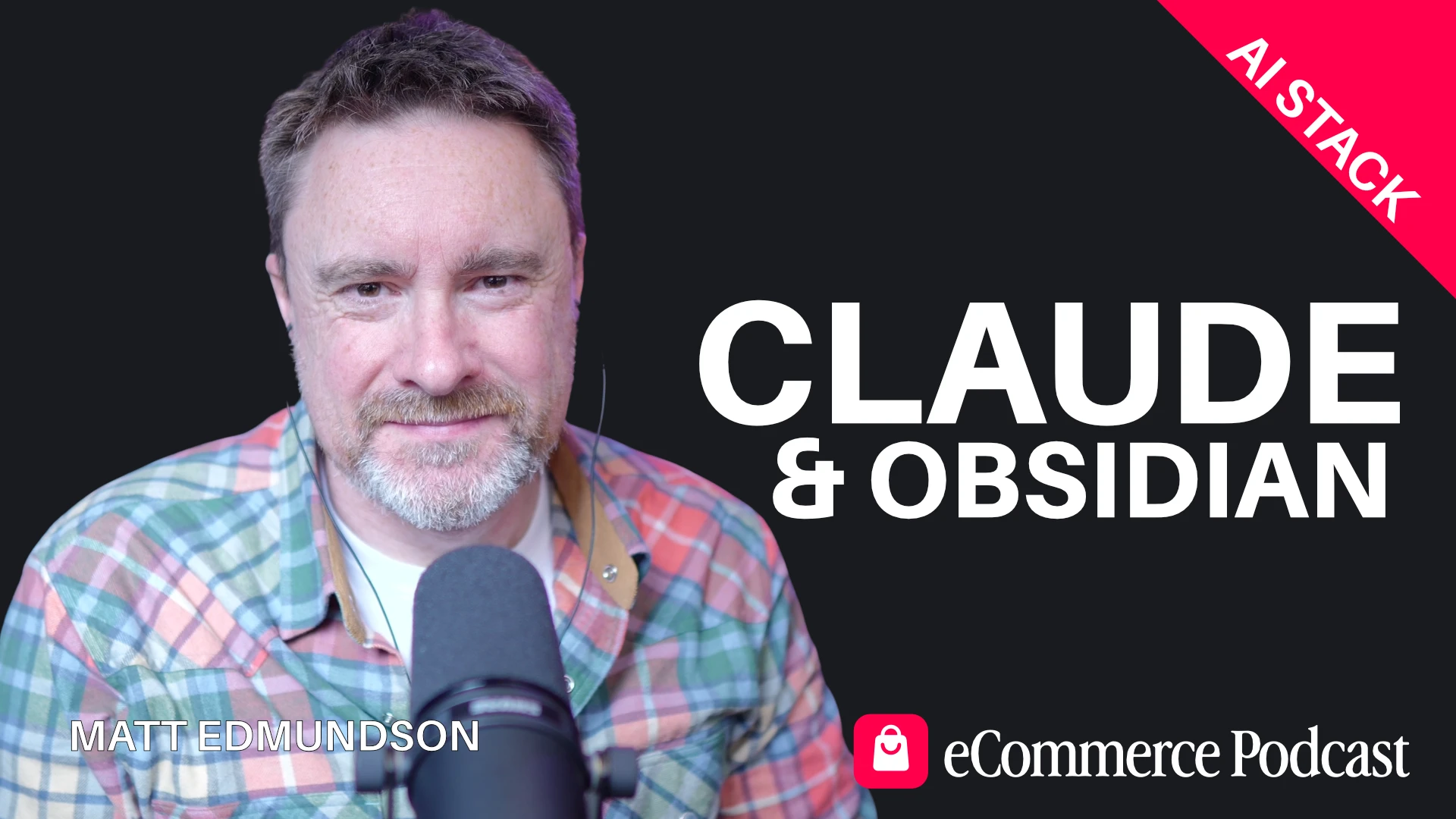
Matt Edmundson
Matt Edmundson
Matts Companies
Even more episodes...